What Profixio League is, and when to use it
The modules that make up Profixio League (PL), the scheduling variants it supports, and worked examples of which series suit Profixio League rather than Profixio CUP.
Looking for something else? Applying to move a series match Anti teams and connected opponents Building a cup or playoff tree Going from group play to playoff Nominating, accepting and buy and sell Notifications when a match changes Ordinary group play Play order, solutions and playkeys Pool play and cross pool play Preparing and generating the schedule Publishing the schedule Referee appointment: overview and who may appoint The series registration site Time restrictions and priority days Venues and team home venues
The public match module consists of all the matches scheduled in the different leagues. No login is required, and the module is 100% adapted to mobile phones.
- It is easy to find the league you want: just search for it at https://www.profixio.com/app.
- The match card includes all relevant information about the match.
- If you are logged in, a lot more data is found for your teams.
- Referees are shown on each match (if the league administrator has accepted this).
- The digital match protocol or match live statistics is shown on matches that have been live registered. See a live stat sample, another live stat sample and a digital match report sample.
If a match is live registered, all actions in the match are saved into a digital match protocol, the electronic match protocol (EMP). Live registration can be done by those who have access to it. Who is given access to register a match via EMP can differ between sports.
- Logging in to PL and the credentials it requires: see "Signing in and PL permissions".
- Creating and using the registration site: see "The league registration site".
- Setting up and generating a schedule, including round dates and priority weekdays: see "Prepare and generate the schedule", "Time restrictions for season, league and teams" and "Venues and team home venues".
- Play keys and play order: see "Play order and playkeys".
- Each scheduling variant in detail: see "Ordinary group play", "Pool play and cross pool play", "Anti-teams and connected opponents", "Building a cup or playoff tree" and "From group play to playoff".
- Appointing referees, nominations and buy and sell: see "Referee appointment overview and access" and "Nominating, accepting and buy and sell".
- Match move requests from team leaders: see "Match move requests".
- The notifications sent when a match changes: see "Notifications when a match changes".
- Publishing the schedule to the public match module: see "Publishing the schedule".
For other roles
Profixio League (in short PL) is a 100% web site solution. No installation of software is needed. The web site is completely located in the Google Cloud system, ensuring fast and safe data transfer.
PL is developed for, and together with, sports federations to handle their league play: both top national leagues and lower leagues in age-limited categories, youth and grassroots series. Depending on the type of league, the way of working in PL differs a bit.
PL consists of several modules, each described in its own section on this page: player and team licensing, registration, scheduling, referees, notifications, the public match module and live registration (electronic match protocol, EMP).
An unsorted collection of videos about Profixio League is available at Videos unsorted.
In this module, player licences, transfers and team licences are administered, using the sport organisation's solution. It is also possible to exchange data by API.
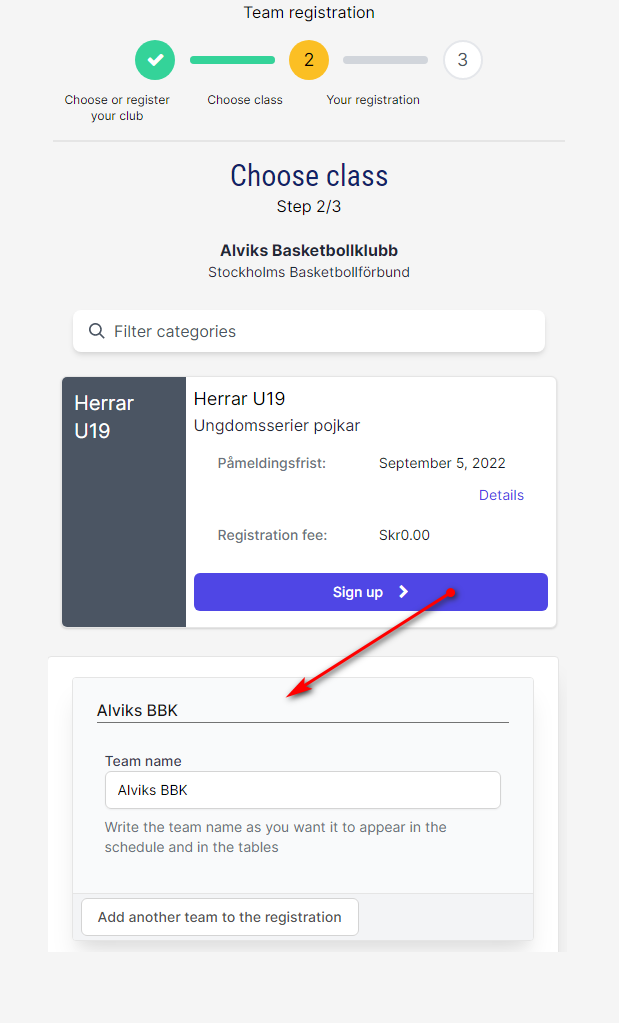
The registration site is created in PL with a couple of clicks; only a few basic data need to be entered. Teams register using this site, and the data is fetched into Profixio League for scheduling.
The scheduling module is very complex and includes a lot of possibilities. It is based on advanced mathematical algorithms, which gives flexibility and great possibilities to get an optimised schedule. Just to mention a few aspects:
- Set round date start and end limits.
- Set priority weekdays to play on.
- Venues are fetched from the central register, where all clubs can enter their venues.
- Venue availability is restricted by scheduled matches (also from other sports) and by the venue owners, and it can also be controlled by the league administrator.
- Scheduling matches: using the advanced algorithms, simpler round robin, or your own play keys. Play keys are often used for lower leagues.
- The advanced algorithms are most often used by top leagues and can handle challenges such as minimising travel, avoiding high-risk matches, placing attractive spectator matches in specific rounds, and so on. Several requests are included to ensure top-level leagues are optimal.
- Team leaders (clubs) can request a match move (time/venue).
Up to an unlimited number of referees can be added to a match. This can contain crew chief, umpires, supervisors and whatever else is needed. Just to mention a few aspects about referees:
- Referees can be set as "Nominated". The referee must then accept or reject the match within a time limit.
- Referee status is always shown (that is nominated, accepted, rejected, buy and sell).
- Referee availability is checked for each referee. This makes the risk of double booking zero.
- Complete economy for the referees is handled by PL.
- Each referee has their own calendar in the Profixio APP, where the referee can also enter time off and similar.
The notification module consists of two parts: one automatic and one manual. A typical notification is when a match time is changed; the notification then goes by mail to the involved persons.
- Notifications can be turned on/off.
- Notifications can be sent by email to team leaders, referees, referee responsibles and match responsibles.
- Most notifications are sent automatically, and all notifications are logged.
- Receivers of notifications get a link in the email if they need to accept/reject something.
No matter which scheduling type you choose, the registration site is not influenced. For example, all teams can be registered into one level, such as "Men21", and then divided into the levels "Men21 North" and "Men21 South" in the public match schedule. This section is about the public schedule, not the registration site.
In PL there are several scheduling methods to choose among:
- Ordinary group play. All registered teams are divided into groups. The groups are shown in their parent league level.
- Pool play without cross matches. Teams are indexed with a play key id and the schedule is made with play keys. All teams' matches are shown in their respective group.
- Pool play with cross matches. Teams are indexed with a play key id and the schedule is made with play keys. All teams' matches are shown in one summary group.
- Connected opponents. Teams that naturally belong together geographically meet in a common location and play their common matches during one or two days, in order to reduce travel costs.
- Playoff using CUP play. A playoff tree is made in PL defining, typically, "Winner group A plays second best group B" and so on. When group play is finished, the teams are automatically moved into the playoff.
- Playoff using GROUP play. A number of teams start to play in league levels such as "Men21 North" and "Men21 South". A new level is made, for example "Men21 SuperLeague", where the top teams are fetched from the two levels and then play a new league.
Here you find examples of series that can be set up in Profixio. Some of the series suit Profixio League and others Profixio CUP. For each example the set-up is listed first, then the solution chosen and why.
Table tennis (Bordtennis), autumn and spring 25/26, 2025
- 9 registrations in one class. All teams play a double series. The rounds are turned around after the first series is finished.
- 1 match per week is played. The number of tables does not need to be entered.
- Solution: Profixio League, because it is a series without many restrictions and with distinctly round-based play.
Rink bandy (Rinkbandy) OABIK 2025
- 2 divisions with 7 teams in each division. Double series.
- Playing time is 2 x 20 minutes + ice preparation = 1 hour per match in total. Matches on Mondays at 2100 and 2200 and on Thursdays at 2100 and 2200.
- 1 playing surface in Bærum Ishall.
- Solution: Profixio League, because it is a series without many restrictions and with distinctly round-based play.
Table tennis (Bordtennis) OABIK 2025
- 4 divisions with 8 teams in each division. Single series.
- 1 match every week for each team.
- 1 playing surface in one sports hall.
- Solution: Profixio League, because it is a series without many restrictions and with distinctly round-based play.
Floorball (Innebandy) OABIK 2025
- 1 division with 8 teams. Single series.
- 1 match every week for each team.
- 1 playing surface in Ekeberg C.
- Solution: Profixio League, because it is a series without many restrictions and with distinctly round-based play.
Vestfold Bedriftsidrettskrets volleyball 2025
- 1 division with 10 teams. Double series.
- 1 match every week. Each team has its home matches on a fixed weekday and at a fixed home venue.
- Some teams can only play on certain days, for both home and away matches.
- Solution: Profixio League, because it is a series with distinctly round-based play.
Two examples of series set-ups where a fixed number of courts and match slots per day is combined with a rule for how many matches each team plays per playing day.
7 teams, 2 courts, 3 match slots: Volleyball series Namsos 2025/2025
- The series is played 5 times (5x series).
- Each team plays 2 matches per day it plays, and one team sits out. So on day 1, teams 1-6 play 2 matches each and team 7 sits out. On day 2, teams 2-7 play 2 matches each and team 1 sits out.
- There are 21 matches per series, and 5 series, so 105 matches.
- The series therefore runs over 18 days (105 matches / 6 per day = 17.5, so 18 days).
- You can add a restriction on a team saying that team A must not play on day 1, because the rounds must be paired correctly.
9 teams, 3 courts, 2 match slots: Volleyball series Innherred 2025/2026
- The series is played 3 times (3x series).
- 4 teams play 2 matches per day, two teams play 1 match and 2 teams sit out. So on day 1, teams 1-5 play 2 matches each, teams 6 and 7 play 1 match each, and teams 8 and 9 sit out. 6 matches in total each day.
- There are 36 matches per series, and 3 series, so 108 matches.
- The series therefore runs over 18 days (108 matches / 6 = 18 days).
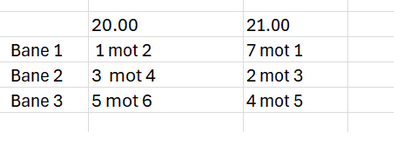
- A play key must be used for this set-up.
See also
Not covered here
- Applying to move a series match
- Anti teams and connected opponents
- Building a cup or playoff tree
- Going from group play to playoff
- Nominating, accepting and buy and sell
- Notifications when a match changes
- Ordinary group play
- Play order, solutions and playkeys
- Pool play and cross pool play
- Preparing and generating the schedule
- Publishing the schedule
- Referee appointment: overview and who may appoint
- The series registration site
- Time restrictions and priority days
- Venues and team home venues
Was this page helpful?