Keeping PL and the web referee module in sync
Why PL and the web referee module (APP) can hold different referees for the same match, how the error check and the "Mismatch?" list find those matches, and how to remove referees to resolve them.
For other roles
Referee appointments made in PL are also shown in the web referee module, which PL calls "APP". The two can end up holding different referees for the same match, or a different accepted / not accepted status for the same referee.
Referees that exist in APP but not in PL are, as a rule, the ones to remove in APP. To prevent referees being deleted from APP by mistake, PL shows a list of these matches so that you can decide in which matches the referees should be removed in APP.
To warn you about matches that differ, PL runs an error check when you open the "Referee" menu. The check also covers referees whose accepted / not accepted status differs between PL and APP.
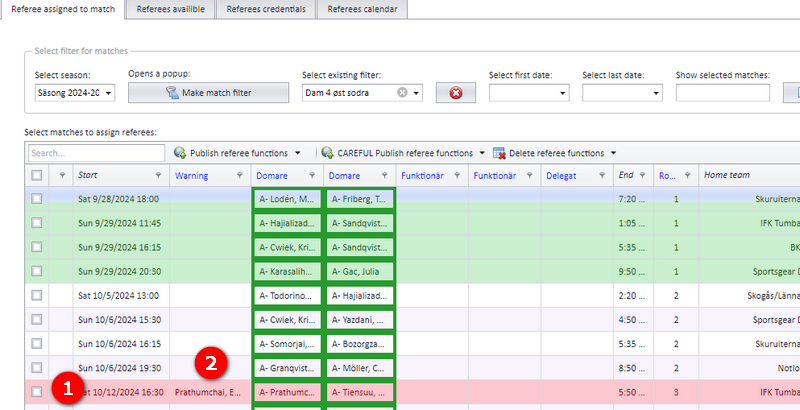
When the referee list is shown, a match whose referees differ between PL and APP is drawn with a red fill. The red row means you must take action on the referees of that match, and the column "Warning" ("Varning" in the Swedish interface) tells you what is wrong.
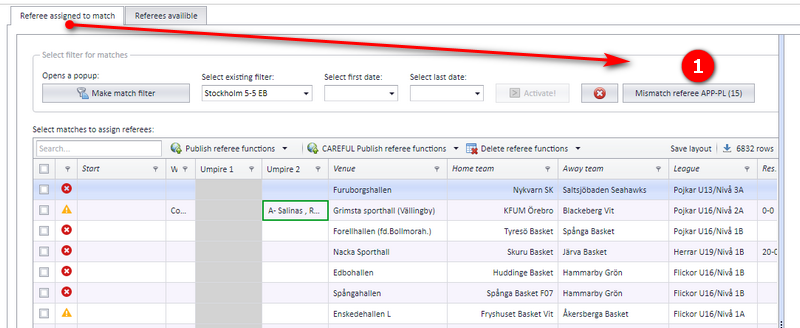
If there are mismatched matches, PL also shows a button with the number of mismatched matches. Click this button to see a list of those matches.
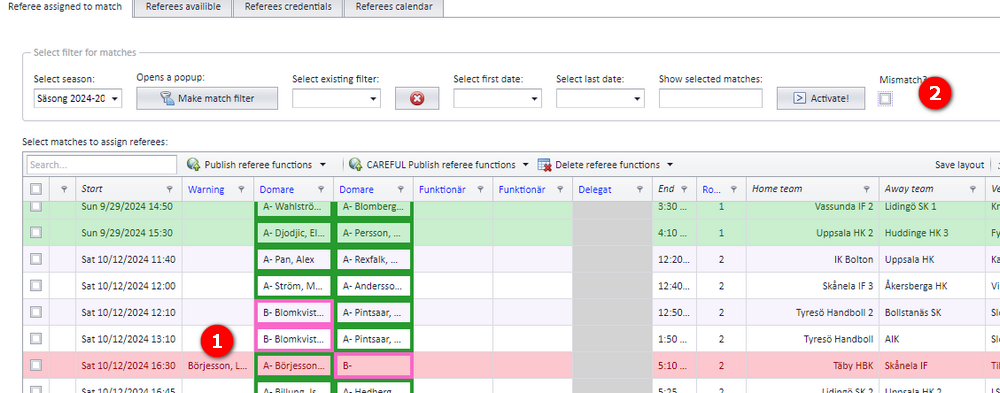
To list possible errors regarding referees and referee appointments, PL has the function "Mismatch?" ("Kontrollera fel" in the Swedish interface, meaning "check for errors").
- Tick the checkbox "Mismatch?" to list all matches in the selected season that the signed-in user has access to.
- Every match that PL finds is not in sync with APP shows up in this list.
- After the referee on a match has been fixed, that match disappears from the list.
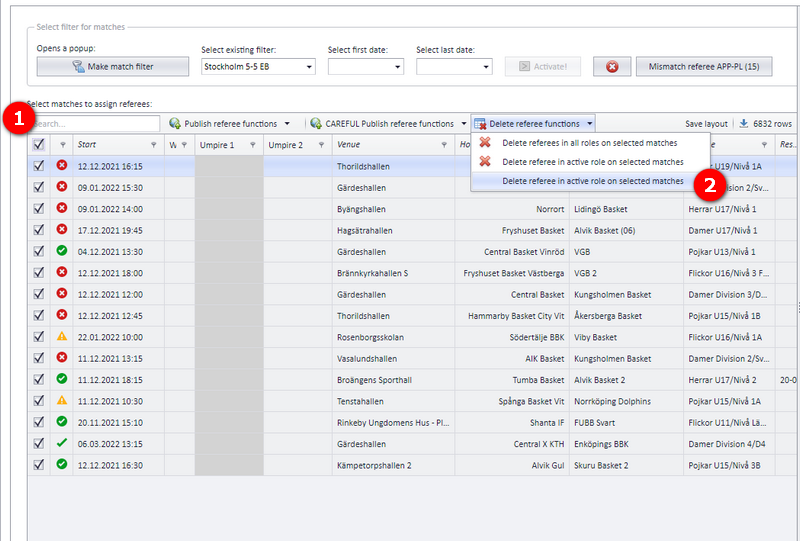
- Select the match or matches where you want to delete referees. You can delete the referees in APP, in PL, or in both.
- Open "Delete referee actions" and choose "Delete referees in..", then select where to delete them. In the Swedish interface the button is "Domare som inte stämmer i PL-APP" (referees that do not match between PL and APP) followed by "Ta bort domare i APP" (delete referees in APP).
- Notifications are sent to the referees when they are deleted.
- Putting a referee on a match and taking one off in normal operation: see "Assigning and removing referees on matches".
- Referees accepting or declining an appointment, and buying and selling matches: see "Nominating, accepting and buy and sell".
- Who has access to the referee menu in PL: see "Referee appointment overview and access".
- Notifications sent when a match changes: see "Notifications when a match changes".
Was this page helpful?