Signing in to PL and who gets access
Signing in to Profixio League (PL) through the Profixio app, the four credential levels, the credential needed to assign referees, and how to restrict who may open the referee module.
Looking for something else? Schedule views, the Visualizer and colour codes
- What PL is and when to use it: see "What PL is and which solution to use".
- Setting up the organisation and season: see "Organisation and season setup".
- Access to the referee appointment screens and the referee module day to day: see "Referee appointment overview and access".
- How referee data in PL relates to the web referee module: see "Keeping PL and the web referee module in sync".
- The visualizer itself: see "Schedule views, visualizer and colour codes".
For other roles
Profixio League (PL) does not have a separate user register. You log in to PL through the Profixio app (APP).
In addition, a credential can be set directly in PL, so a user can be given a PL level that they do not have in the app.
PL has four main credential types. Each level can administrate all data at its own level:
| Credential type | What the user can administrate |
|---|---|
| "Organisation" | The top credential for a user. Can administrate all data in all regions and in the top-level leagues. |
| "Region" | Can administrate all data at region level. |
| "Club" | Can administrate all data at club level. |
| "Team" | Can administrate all data at team level. |
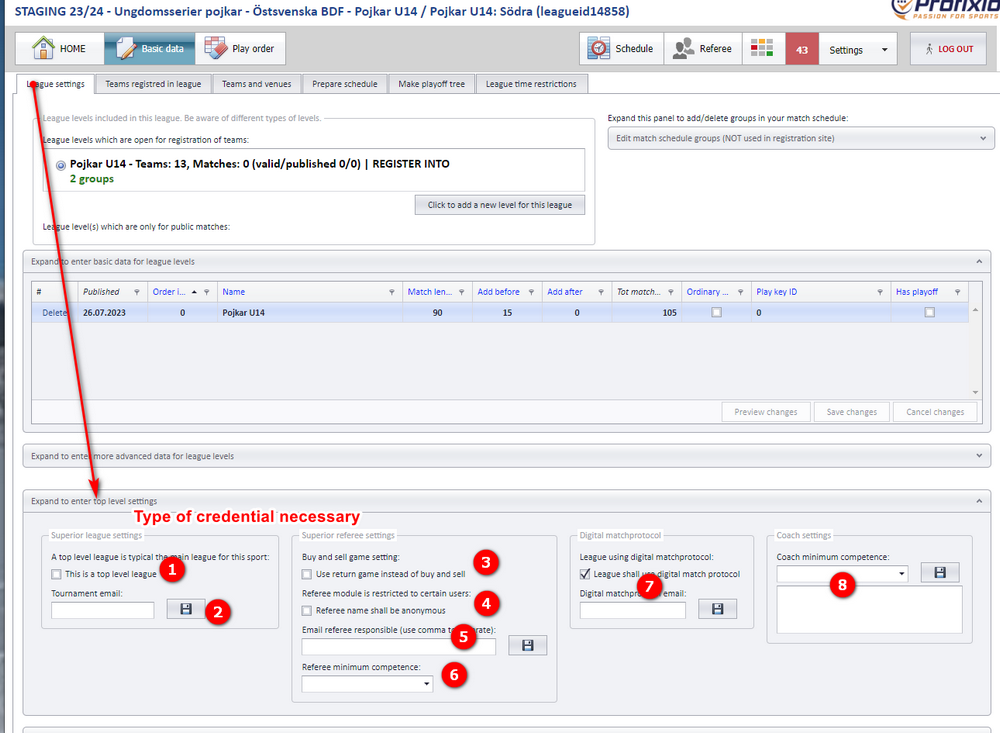
The League settings screen needs the "Organisation" credential for the parts marked with a bubble in the screenshot:
- Bubble 1: Organisation
- Bubble 2: Organisation
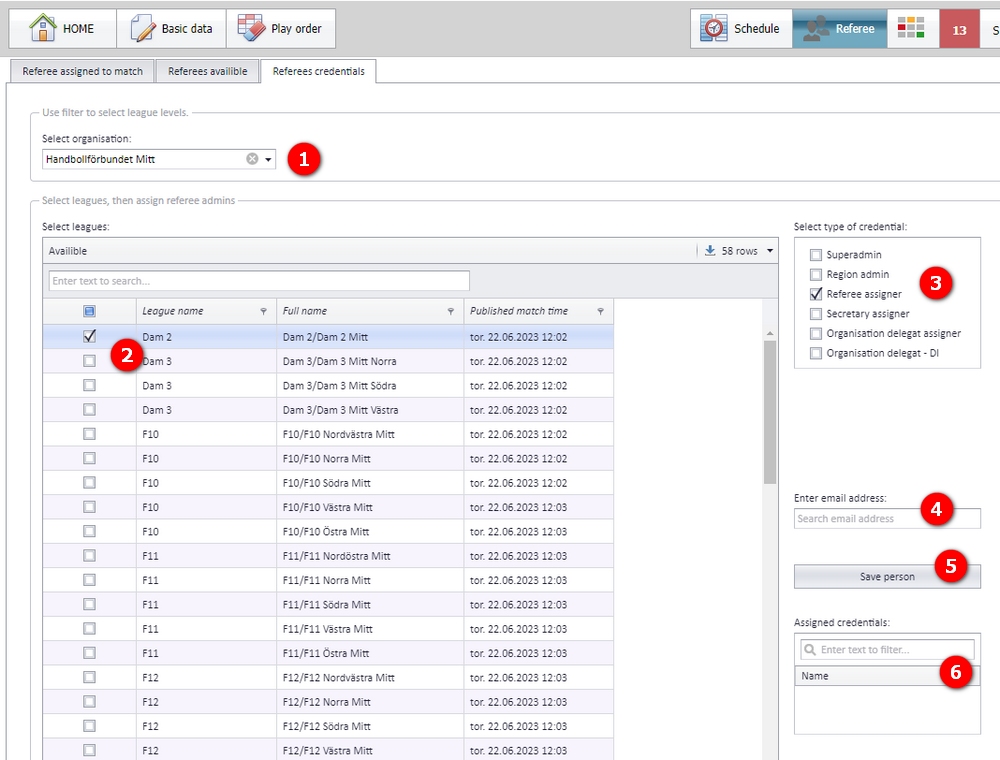
In order to assign referees to a match, valid credentials are necessary.
- Organisation admins can give credentials on all levels.
- Region admins can give credentials for the leagues they administrate.
Credentials are given from the "Assign credentials" screen:
It is possible to deny access to the referee module in PL, so that only selected users can open it and see referee names.
To turn the restriction on:
- Open the menu "Basic data" - "League settings".
- Check "Referee name shall be anonymous".
Remember: this checkbox is only available for organisation referee admins.
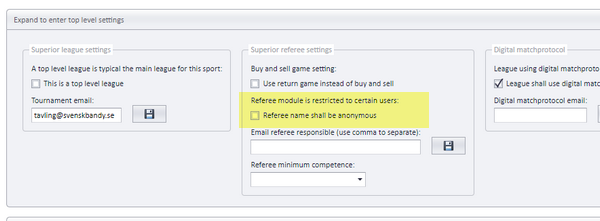
When the restriction is on, only users that have been granted access can open the referee module:
- Users without access cannot enter the menu "Referee" in PL.
- In the visualizer, all referees in this league are shown with the name "Anonymous" to users without access.
See also
Not covered here
Was this page helpful?