Sport- and federation-specific setups
The ranking-table and seeding variants that specific federations run in the Scheduler: the 7s and 15s table systems for Swedish and Norwegian rugby, and ranking-point seeding for beach volleyball in NVBF and SVBF.
A federation can have its own ranking tables or its own seeding rules set up in the Scheduler, on top of everything else the Scheduler does the same way for everyone. This page covers those setups:
- Rugby, where a federation's setup has one ranking table system for 7s and one for 15s.
- Beach volleyball in NVBF, where players' ranking points are the basis for seeding and for dividing teams into groups.
- Beach volleyball in SVBF, where the seeding list and the "snake formation" positions come with the registration data.
Pick the section for your federation — the setups are independent of each other.
In an SVBF beach tournament the seeding data comes with the players' ranking data from the web.
- When you activate a tournament for the first time, all players with all their ranking data are updated from the web. The seeding list is updated, and the positions in the groups ("snake formation") are updated.
- When you activate the same tournament later and the registration data has changed, the seeding reloads and resets the adjustments the organiser has made.
- If a whole team is deleted, reload the seeding data manually in the Scheduler. That is only needed after a deleted team, not after other changes.
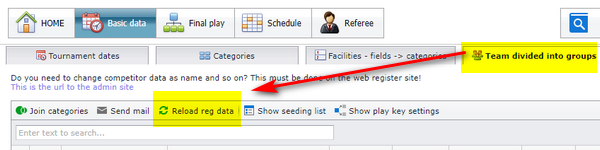
When a player is wanted as a partner, the Scheduler inserts a vacant player on the team:
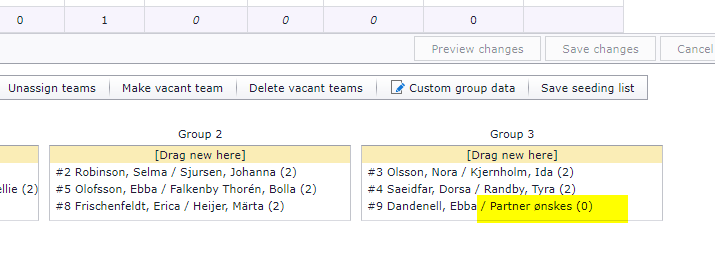
When a player is added to the team, that player replaces the vacant player the next time you open this window, or when you reload the data manually.
- Ranking tables and result positions as they work for every federation: see "Ranking tables and result positions".
- Dividing teams into groups and seeding in general, for every sport: see "Dividing teams into groups and seeding".
- Getting registrations, players and ranking data into the Scheduler in the first place: see "Loading registration data from the web".
Choose your federation to see rules that apply to you
Some of this page depends on your federation. Choose it at the top of the page to see the settings that apply to you.
Ranking points for beach volleyball players are held by Profixio. The points are the basis for the seeding when teams are divided into groups in the Scheduler: the division is then made automatically in a snake pattern based on the seeding.
The tournament's registration page shows the ranking points of every registered player.
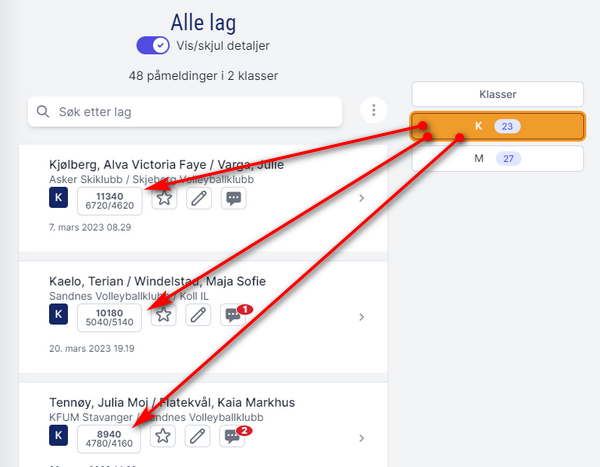
Ranking points can also be retrieved through an API once NVBF has approved it.
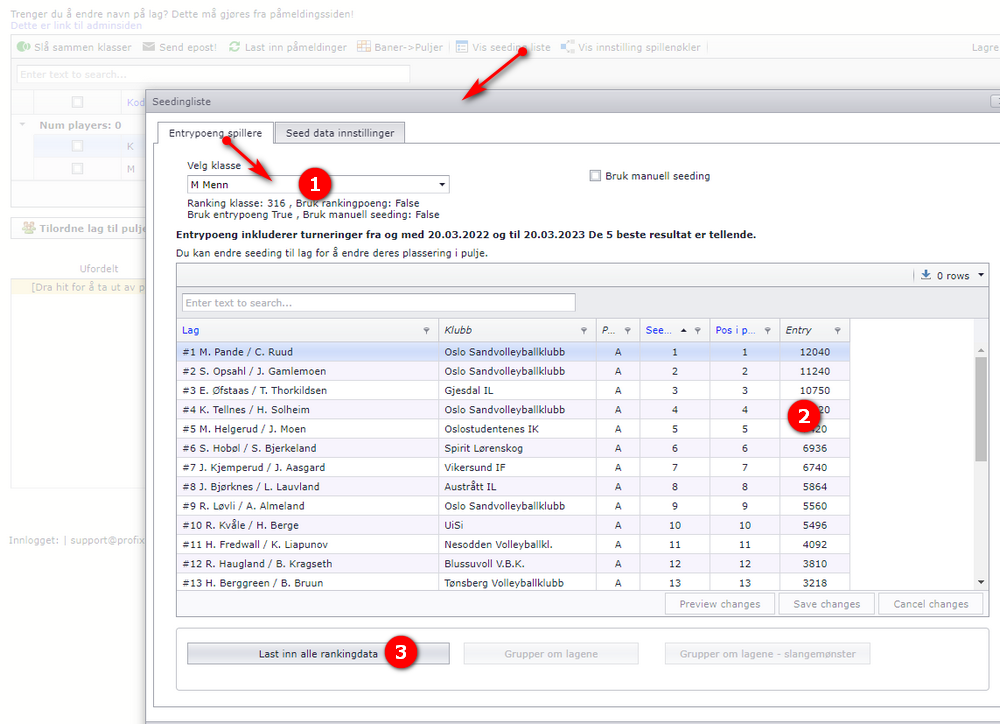
Dividing teams into groups for a beach volleyball tournament is done in two steps in the Scheduler.
First divide the players into the number of groups in the usual way.
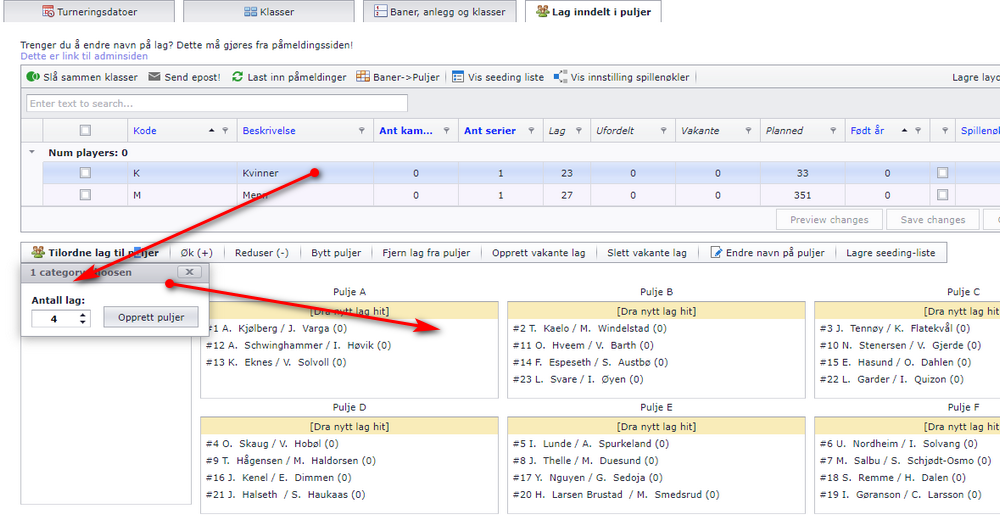
Then open the seeding list to adjust the seeding numbers if you want to.
- Select the category first.
- The points are shown here.
- Here you can regroup the teams according to the seeding numbers and in a snake pattern.
Results from the championship ("NM") count towards the next year's ranking points one class higher. Ranking points earned in, for example, NMU15 in 2025 then give the same number of "start" ranking points in 2026 in class U16.
The table that carries the points over is held by Profixio. Ask Profixio support if a carry-over needs to be checked or changed.
Other sports
The rugby setup has two table systems: one system for 7s and one for 15s. Two things have to be set for one system or the other to take effect.
In "Påmeldingsløsning" (the web registration solution), both "Ant spillere" (number of players) values must be set to the right number, 7 or 15:
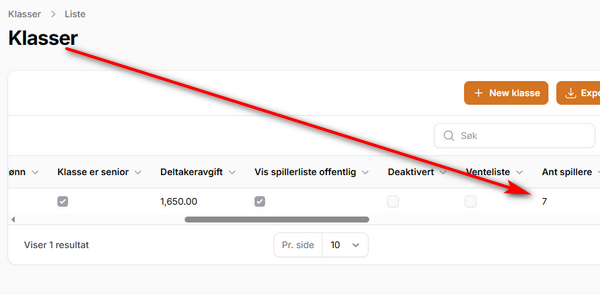
For Norwegian Rugby, both values in the yellow rectangle must be set:
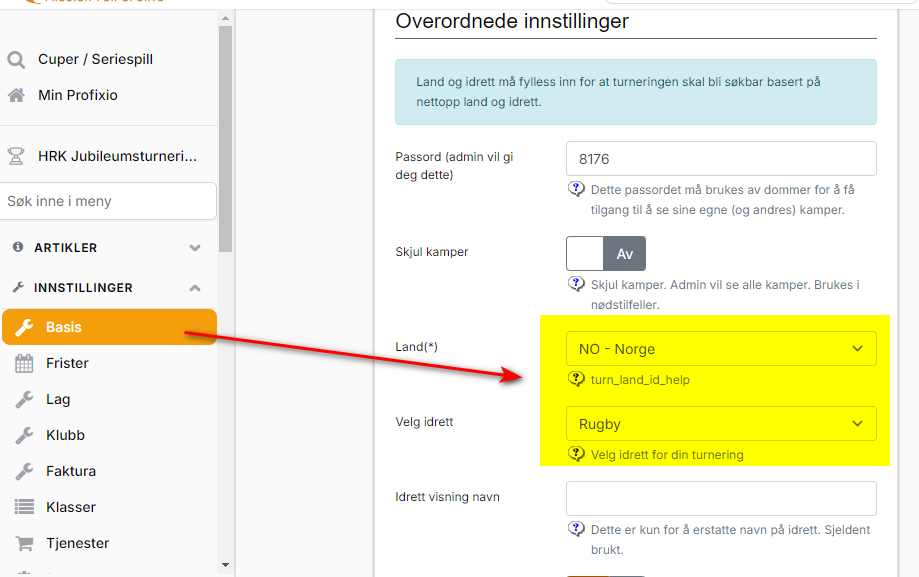
- For 7s: the number of players must be set to 7 in the categories that are to play 7s.
- For 15s: the number of players must be set to 15 in the categories that are to play 15s. Result registration with fields for bonus points, and the table system that calculates bonus points into the table, both follow from this number.
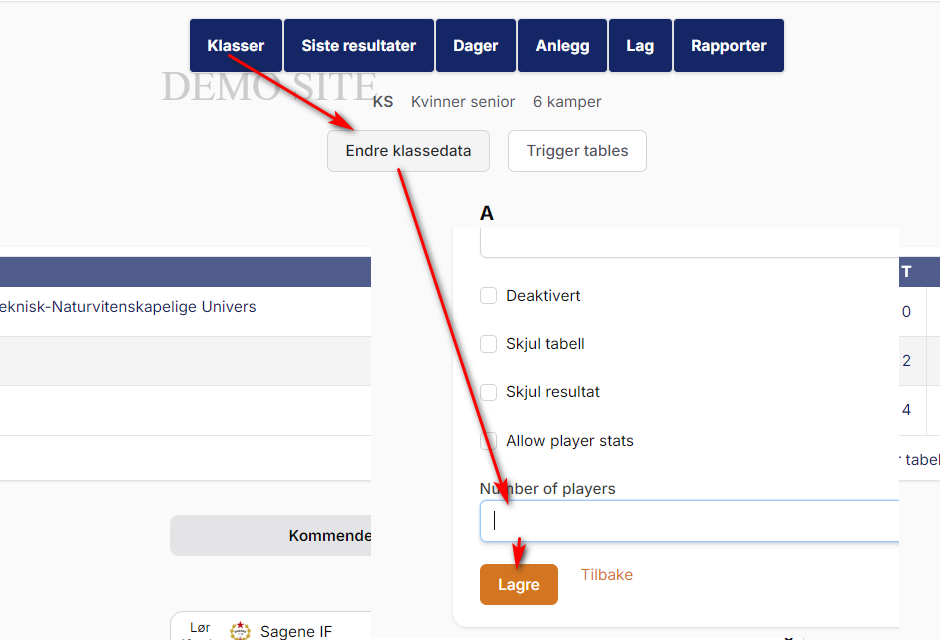
This is where the number of players is set:
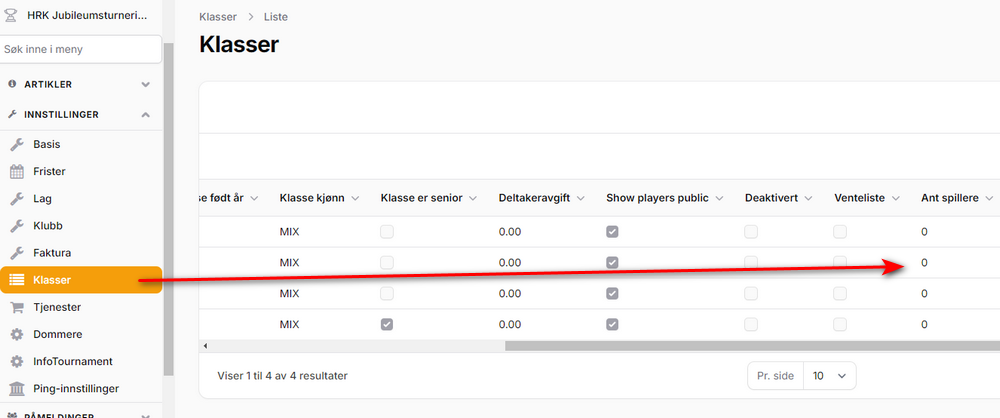
Tip: you can also set "7" or "15" under "Endre klassedata" (change category data) – "Antall spillere" (number of players) once you have selected a category in the public view.
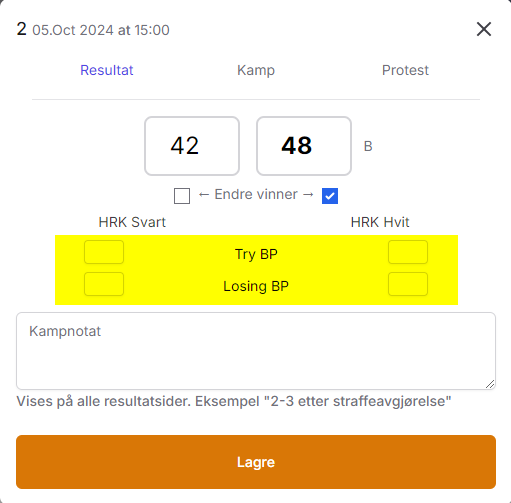
The 15s table system includes the use of bonus points (TBP and LBP). Bonus points are registered at the same time as the result.
Click the check boxes to register a bonus point on one team or the other. They are shown here in the yellow area.
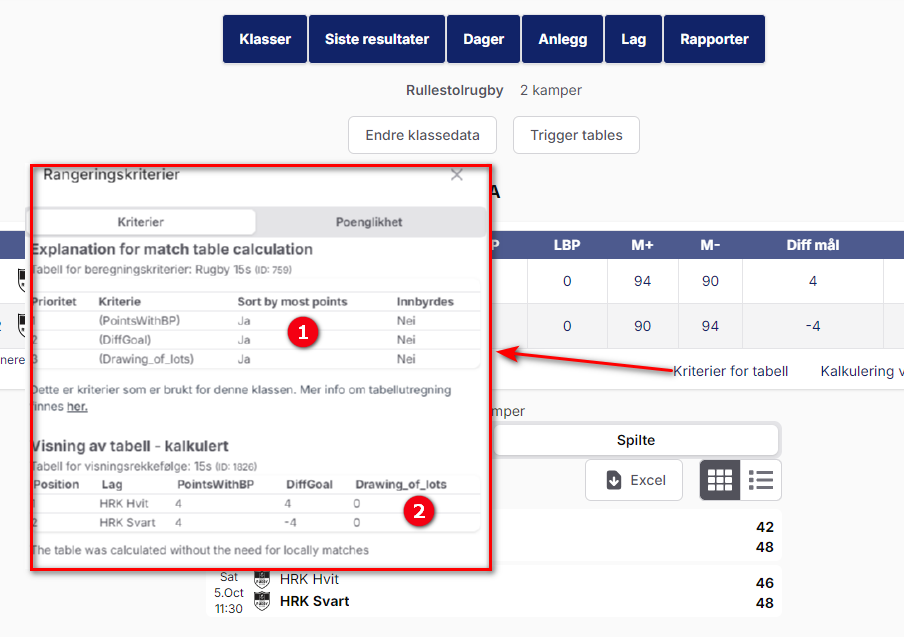
The rugby ranking table shows you both the calculation and the result of it:
- Here you see how the positions are calculated.
- Here you see the order of the teams with the calculated values.
Was this page helpful?