Ranking tables and result positions
What table criteria and table view are, when a group's ranking table is shown, how to read it, and where in the Scheduler you pick another set of criteria or another view for a category.
Looking for something else? Making the schedule
A ranking table places the teams in a group in order, and shows them with a set of columns. Two separate setups decide what that table looks like:
- The table criteria are the order of criteria which position teams in a ranking table.
- The table view is how the table is presented to the public.
Table criteria are used when tables are calculated after a result is saved, so a table always follows the results registered so far.
Most often you will use your federation default criteria, which are also the default in the Scheduler. In this case you do not need to change anything.
A category can be set to hide or show ranking tables. For the young ones, ranking tables are often hidden.
- Ranking tables are by the system set to be hidden if the players are below a given age; your federation or district administrator can tell you which age applies.
- A category can overrule that, with the Edit category button on the table itself (see "Reading a published ranking table").
- Ranking tables are only shown if there is at least one result registered in a group.
- If you are logged in as admin, ranking tables will always show up if there are results registered in a category, whatever the category is set to.
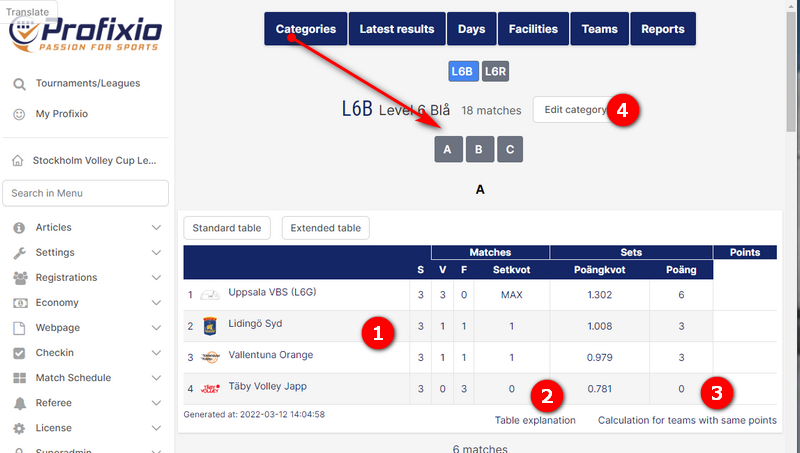
The numbers below match an example of ranking table view in the picture.
- The table shows the teams with columns based on the settings from (4).
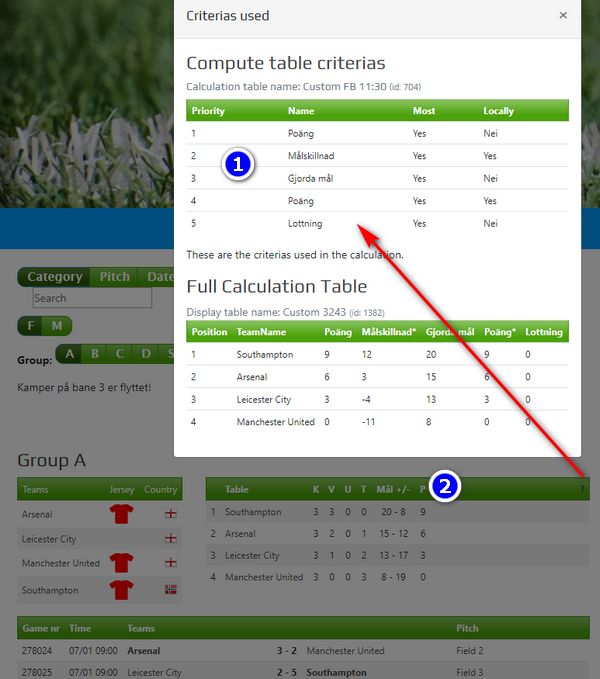
- Click Table explanation to show which criteria the teams are ranked upon.
- If three or more teams have equal points, click to see how the calculation among these teams is done.
- Enter the button Edit category to select another table criteria and eventually another table view. This is the important one if the table is not ranked or presented the way you expect.
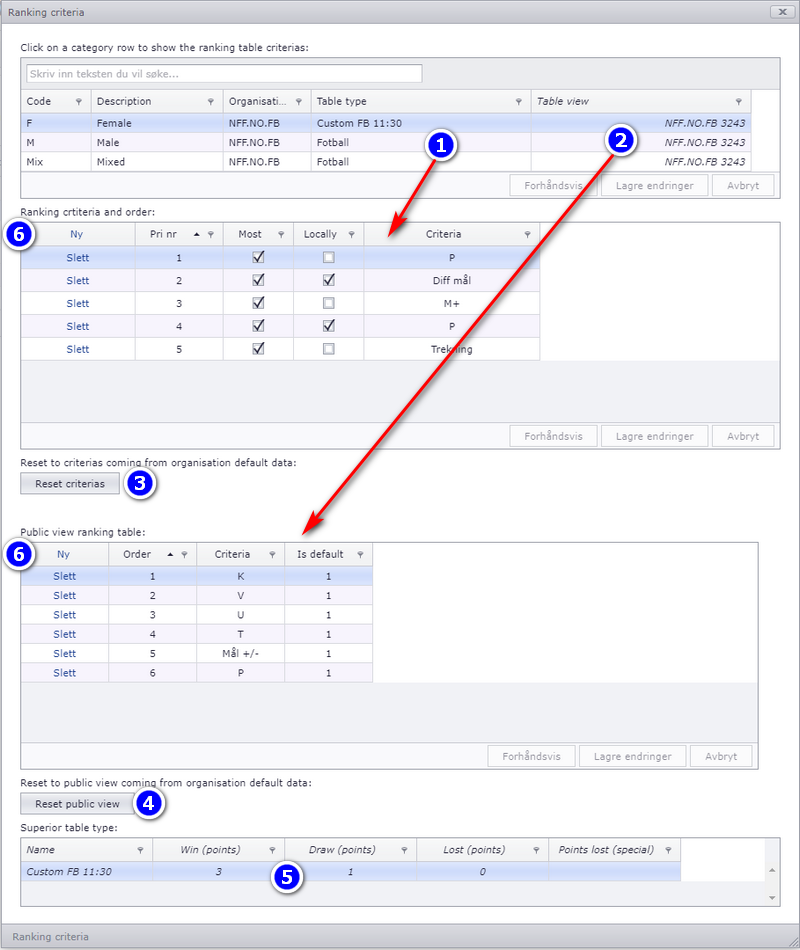
If you have criteria other than the federation defaults, you must define them in the grid shown in the image below. Enter menu Basics - Categories - Ranking criteria.
First of all, click on the category row which contains the table criteria you want to change. Then:
- In column Table type you can select among existing table criteria setup — the order of criteria which ranking tables are calculated from.
- In column Table view you can see which view setup is used. The view can be changed in the grid, as the red arrow in the picture indicates.
- If necessary, reset the table criteria to the federation default criteria.
- If necessary, reset the table view to the federation default view.
- This is only a view showing the number of points the winner gets and so on.
- Enter the New button to add a new row for table criteria or table view.
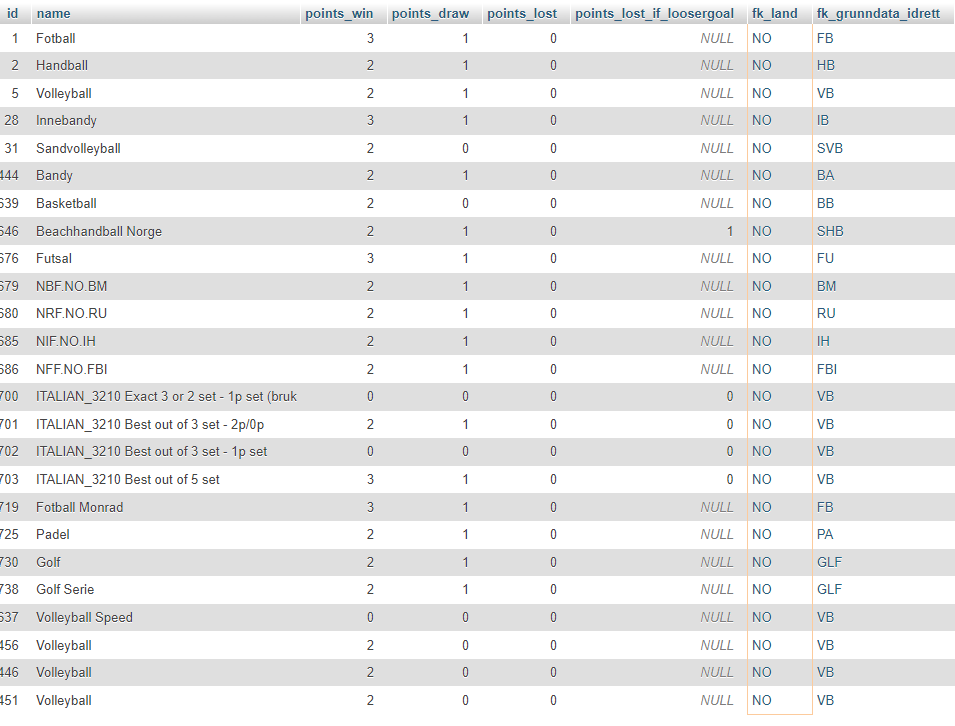
The criteria and views you can pick are the ones set up for your sport and federation, each with its own ranking criteria id and ranking view id.
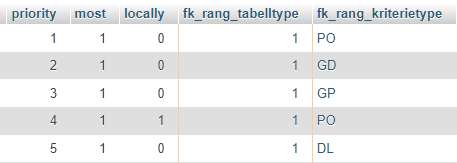
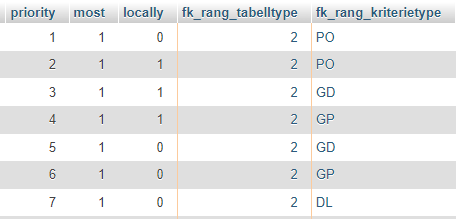
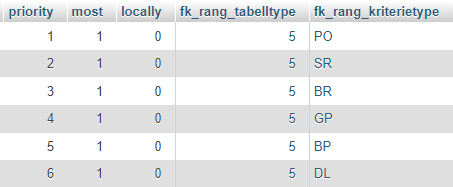
Table criteria to choose among — Swedish beach and volleyball, with the ranking criteria id:
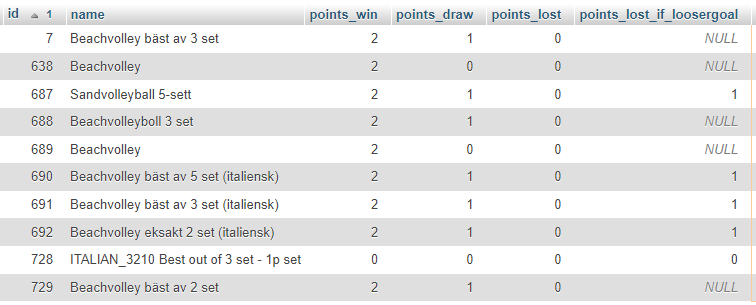
Table criteria to choose among — Norwegian beach and volleyball, with the ranking criteria id:
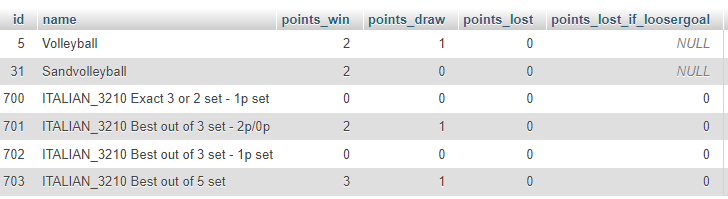
Ranking view id, in general, for Norwegian tables:
This page covers the ranking table of a group: what table criteria and table view are, when a table is shown, how to read it and where to change it.
It does not cover how the teams in a group get there, how a group result carries a team on into the final play, or what a federation requires for its own competitions. Those have their own pages: creating the categories a table belongs to, dividing teams into groups and seeding them, building the final play, and the sport and federation specific setups.
See also
Not covered here
Was this page helpful?