Standings and ranking criteria
The ranking table type decides the criteria PL uses to calculate positions inside a group; this page shows where the type is seen and changed in PL and in the app, and where the criteria are explained to readers of the app.
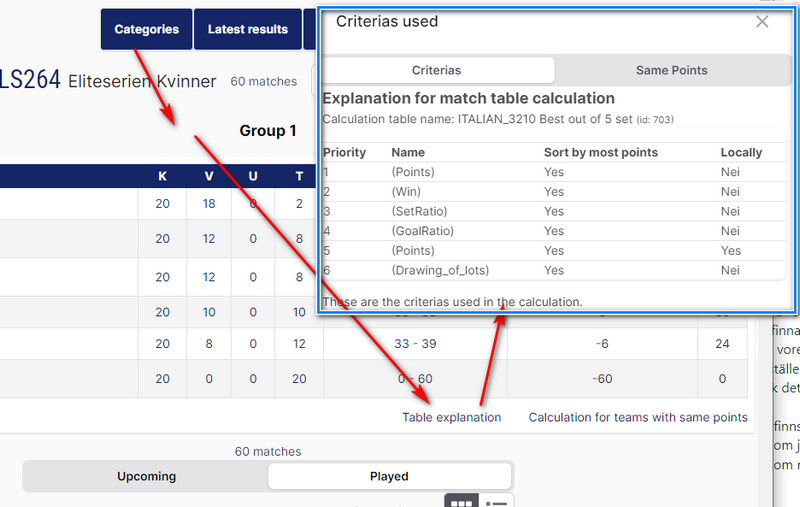
In the app, the criteria for the ranking table are shown by clicking "Table explanation" ("Tabellförklaring" in the Swedish interface). The criteria are listed in priority order.
For other roles
When making a league in Profixio FX, it is possible to choose the type of ranking table to be used. A ranking table has criteria which ensure correct positions for the teams in a league during group play.
The type of table can be changed in Profixio PL and in the Profixio app.
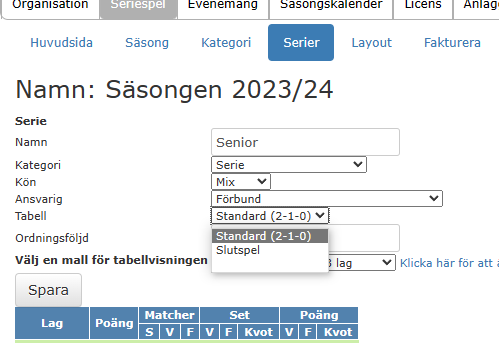
In PL it is possible to both see and change the ranking table type.
- Enter the menu "Basic" ("Grundläggande data" in the Swedish interface) and the tab "League settings" ("Tävlingsinställningar").
- To change the table type, just select another one and click "Save changes" ("Spara ändringar").
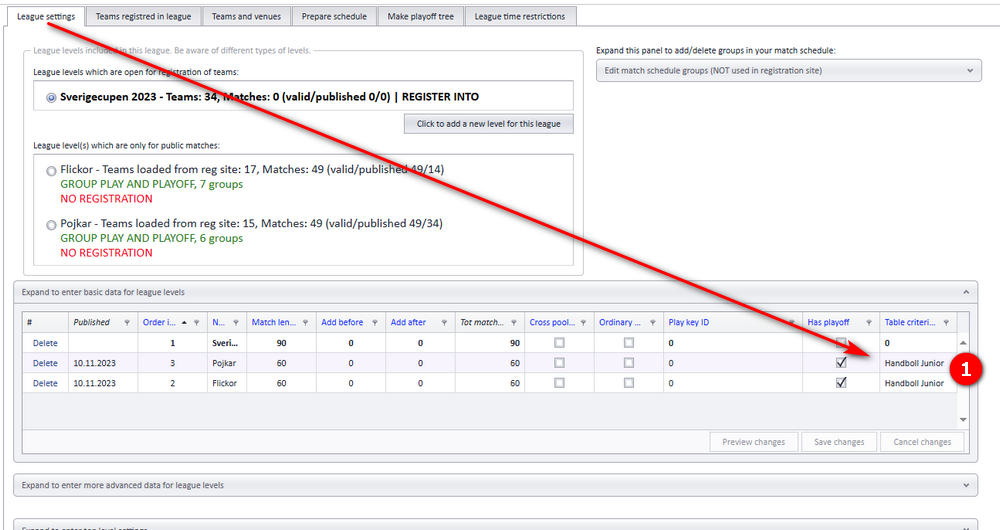
Leagues without matches, which are not going to be published, do not need to have any table type.
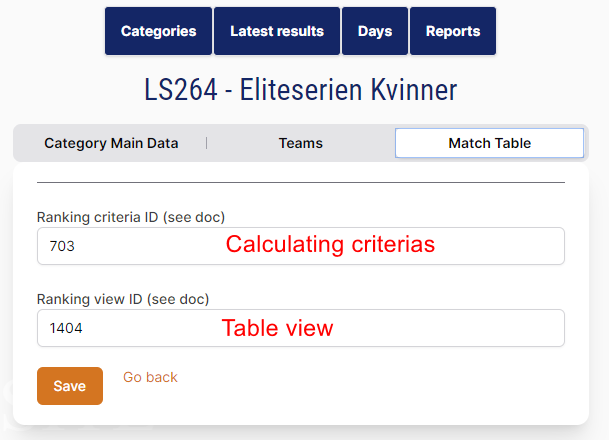
In the app, the table type is changed by entering the id of the table type you want.
- Making groups and the rest of the "League settings" tab: see Ordinary group play and League levels and groups.
- Pools and cross-pool play: see Pool play and cross-pool play.
- Ranking teams out of group play into a playoff: see From group play to playoff.
Was this page helpful?