The PL workspace: grids, archive and backup
How to hide, reorder and save your own column layout on a Profixio League grid, and where archived matches are kept and shown.
For other roles
Grids in Profixio League can be laid out per user: each user can save their own layout for a grid, so the columns you hide, show and reorder are kept for you without affecting anyone else.
Layout saving is available on the "Domare" (Referees) grid.
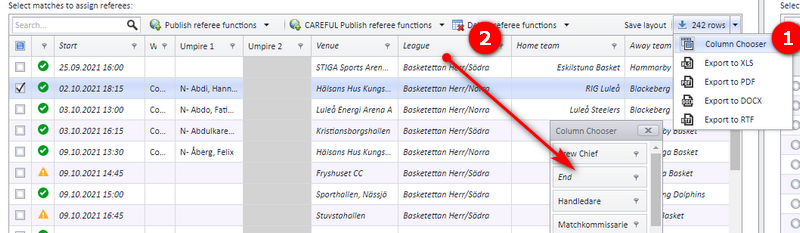
- Start by showing the "Column Chooser" ("Kolumnväljaren" in the Swedish interface), as shown in the screenshot.
- Drag columns into the Column Chooser to hide a column.
- To show a hidden column again, drag it the opposite way, out of the Column Chooser and back into the grid.
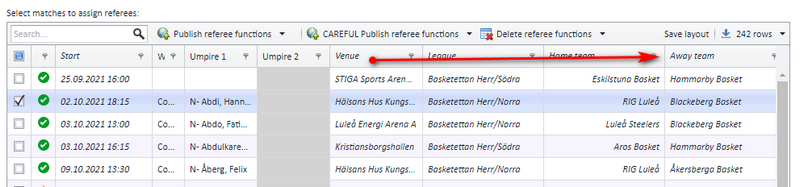
To reorder columns, drag a column header to its new position in the grid.
To save a layout, click the "Save layout" button ("Spara layout" in the Swedish interface) in the grid toolbar.
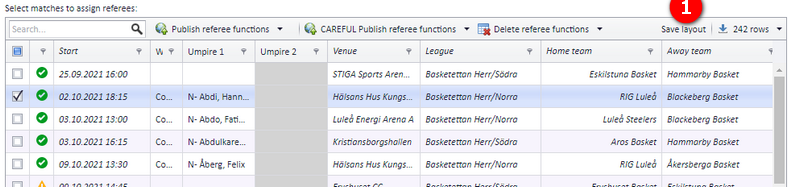
When you save a layout, your existing saved layout for that grid is overwritten. Each user has one saved layout per grid.
A match can be archived. Archived matches are kept for historical use and are shown separately from the active schedule.
To see archived matches, open the menu "Schemaläggningsfunktioner" (scheduling functions) and choose "Visa arkiverade matcher" (show archived matches), as shown in the screenshot.
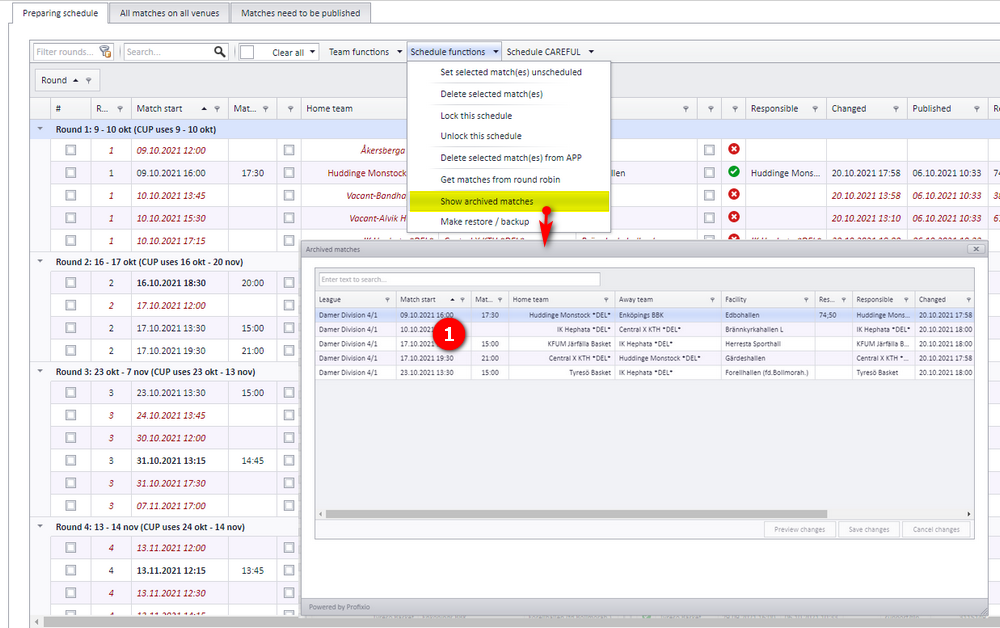
A match is archived automatically when a team is soft deleted, and a date limit is set for archiving matches before this date.
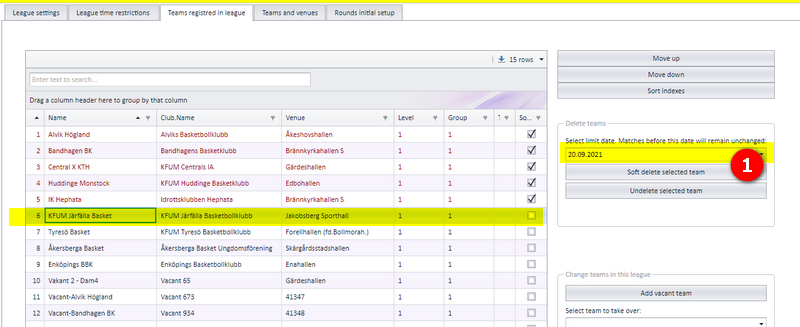
See "Replacing, deleting and moving teams" for how a team is soft deleted, and "Deleting matches and the action log" for what happens to matches you delete directly.
- How the schedule grids, the visualizer and colour codes are read: see "Schedule views, visualizer and colour codes".
- Deleting matches and following changes in the action log: see "Deleting matches and the action log".
- Soft deleting, replacing and moving teams: see "Replacing, deleting and moving teams".
- Changes clubs make to match times in the app: see "Letting clubs set times in the app" and "Match move requests".
- The Referees grid itself and who can open it: see "Referee appointment overview and access".
See also
- Applying to move a series match
- Deleting matches and reading the action log
- Letting clubs set times themselves (Administer matches)
- Preparing and generating the schedule
- Referee appointment: overview and who may appoint
- Replacing, deleting and moving a team
- Schedule views, the Visualizer and colour codes
Was this page helpful?