Vacant teams
What a vacant team is in Profixio League (PL), how to add one under Basic data, and how matches with a vacant team behave when the schedule is generated and published.
Looking for something else? League levels, groups and activation
- Registering ordinary teams in a league and what the "Team registred in league" tab contains: see "Teams in a league".
- Replacing a vacant team with a real team, or deleting and moving teams: see "Replacing, deleting and moving teams".
- The league temporary venue and team home venues: see "Venues and team home venues".
- Play order and playkeys used when generating the schedule: see "Play order and playkeys" and "Prepare and generate the schedule".
- What the red colour and other colour codes mean in the schedule views: see "Schedule views, visualizer and colour codes".
- Overruling a match and publishing the schedule: see "Publishing the schedule".
For other roles
A vacant team is a placeholder team you add to a league in PL. A vacant team behaves as an ordinary team regarding scheduling: it takes a place in the group and is drawn into matches like any other team.
When you add a vacant team, a vacant club is assigned to it and the league's temporary venue is assigned as its venue. How to add one is described under "Adding a vacant team", and how the matches it is drawn into behave is described under "Matches with a vacant team in the schedule" on this page.
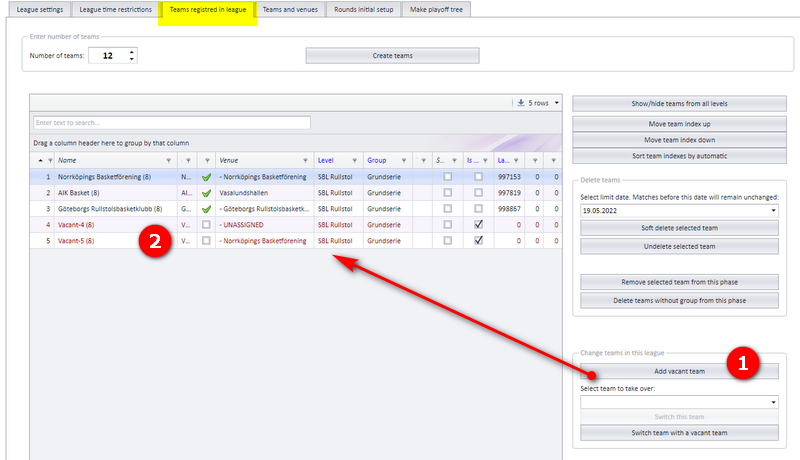
Enter the menu "Basic data" and the tab "Team registred in league".
- Click the button shown in the screenshot to add a vacant team. The team's club will be a temporary club. The team's venue will be the league temporary venue.
- The team shows up with red font in the list of teams. The name of the team will be "Vacant-X", where X is the next free index of teams.
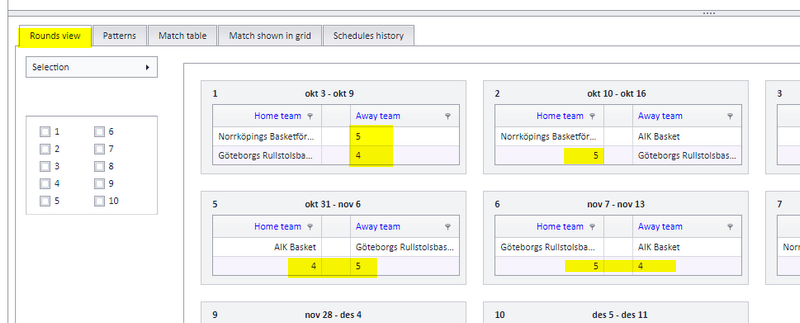
When you make an initial schedule using PRO (the play order, "spelordning"), vacant teams show up with their index in the list of rounds.
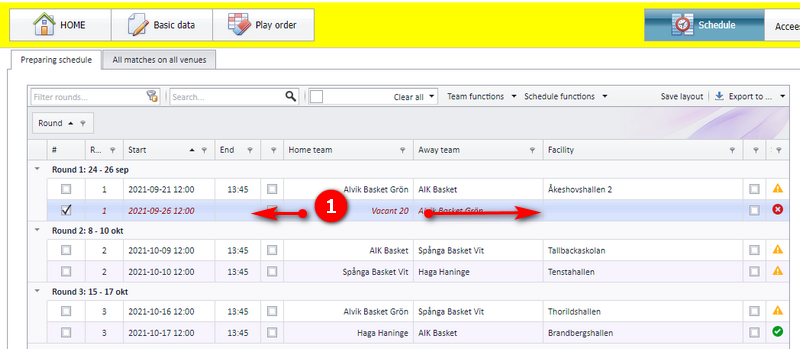
A match with a vacant team does not take up a position at any venue.
- If one of the teams is vacant (or both), the match is set to invalid (red). The end time is set to nothing. The venue is set to the home team's venue, even if the home team is vacant.
- Red matches are not published unless the match is set to be overruled.
NOTE: If the match is overruled by the user, none of the actions above happen.
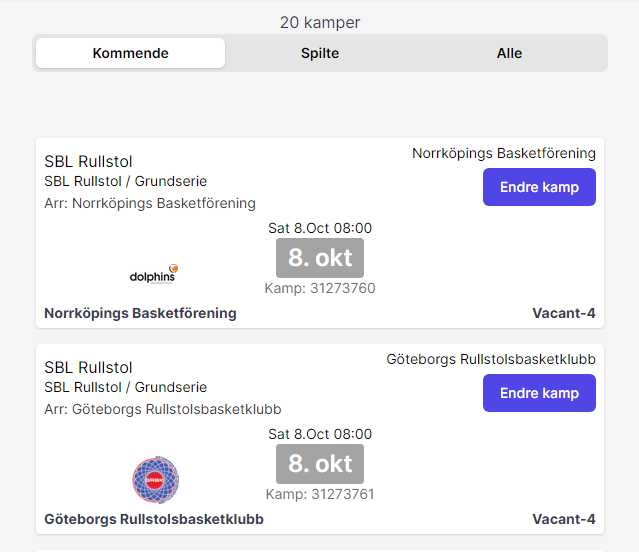
A vacant team shows up in the public list of matches just as an ordinary team.
See also
Not covered here
Was this page helpful?