Notifications when a match changes
Who is notified when a match is moved, deleted or gets a referee change, how a notification is triggered and sent from PL, and how to follow up what went out.
Looking for something else? Letting clubs set times themselves (Administer matches) Organisation and season setup
For other roles
A notification is a message sent to the persons involved in a match. The message can be a push message inside the Profixio app, an email or an SMS.
Messages are sorted so that the same person receives as few messages as possible, and a message is delivered a few minutes after it is sent.
Most notifications are sent automatically, with no manual action needed, and every notification starts from a match being published from PL. Manual sending is available for the cases where you want to notify the persons on a match yourself.
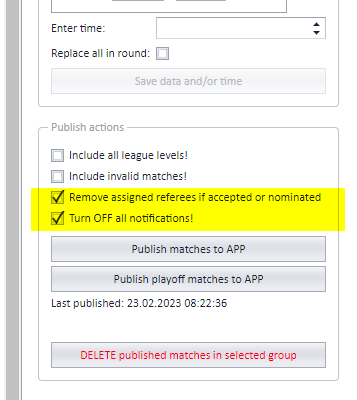
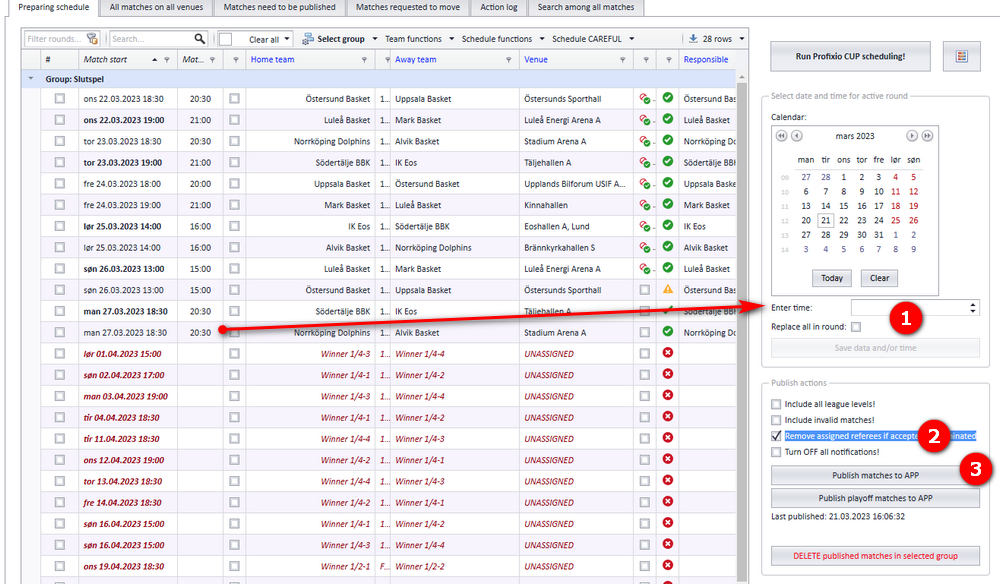
Notifications are triggered by publishing a match. Moving a match inside PL without publishing it sends nothing, and the notification type you select in the publish dialog (see screenshot) only takes effect when the notification is actually triggered.
- When a match is published for the first time, no notification is sent.
- When a match is published for the second time AND the match has been changed after the first publish in one or more of: time, venue, home/away team. Otherwise no notification is sent. A notification is also sent when the responsible club is changed.
- When a match is deleted from the app.
- When a match is set to unscheduled.
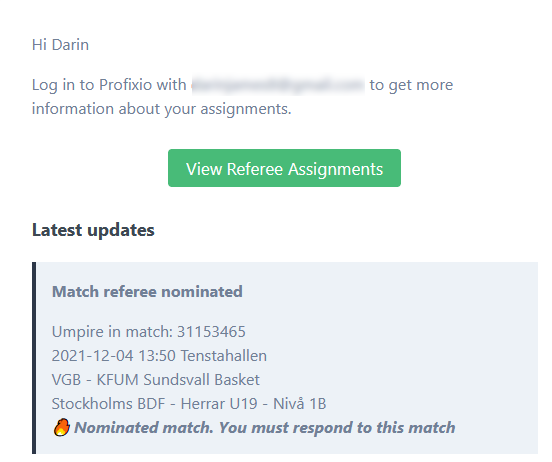
- When a referee on a match is nominated.
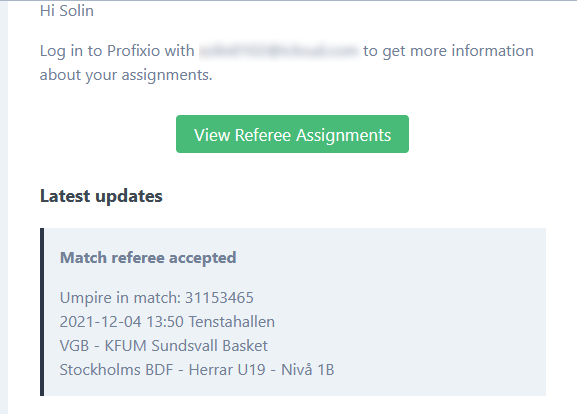
- When a referee on a match is accepted.
- When a referee on a match rejects.
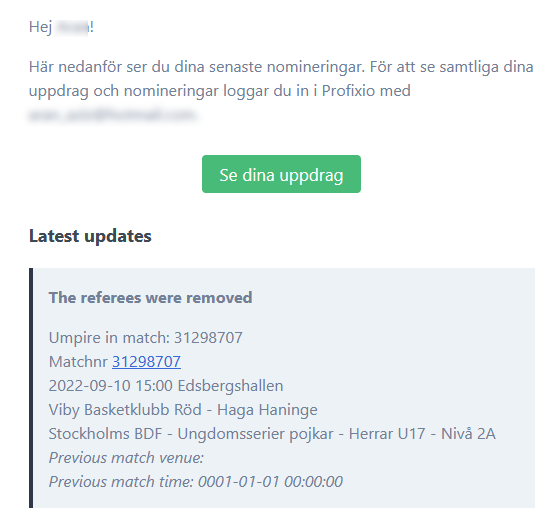
- When a referee on a match is deleted and the referee had been nominated or accepted.
- When a referee is set to a different role in the same match.
- Notification is not sent when the match is already played and is then moved in time or venue.
"Referee assigned" below means a referee who is either accepted or nominated on the match.
| Event | Who is notified | How |
|---|---|---|
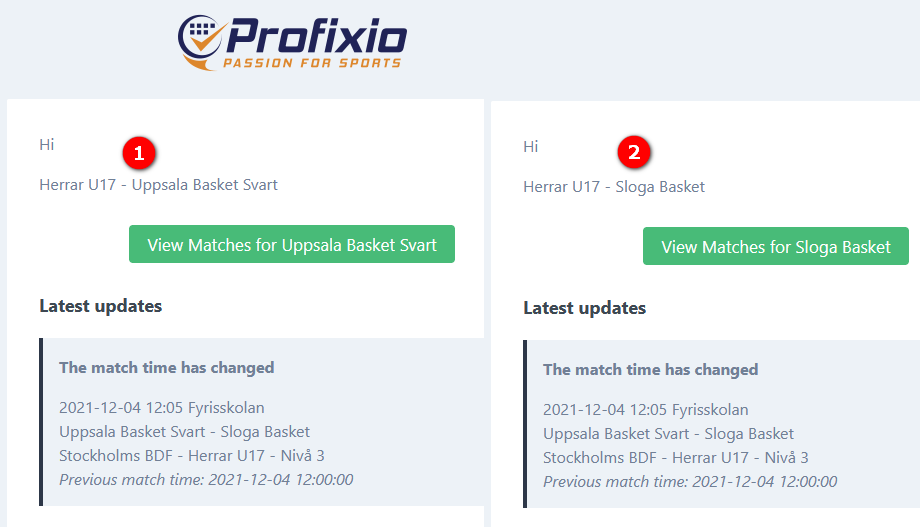
| Match time changed | Match contact persons + referee assigned in all roles + referee responsible | Automatic |
| Match venue changed | Match contact persons + referee assigned in all roles + referee responsible | Automatic |
| Match team changed | Match contact persons + referee assigned in all roles + referee responsible | Automatic |
| Match responsible changed | Match contact persons + referee assigned in all roles + responsible team + referee nominator | Not marked as automatic |
| Match deleted | Match contact persons + referee assigned in all roles + responsible team + referee responsible | Automatic |
| Referee on match nominated | The referee | Automatic |
| Referee on match accepted | The referee | Automatic |
| Referee on match deleted | The referee | Automatic |
| Referee on match rejected or deleted | The referee + referee responsible | Automatic |
A federation's organisation can be set up so that:
- A referee always follows a match when it is moved. This can be overridden for each league.
- A referee is always accepted; nominations are not used.
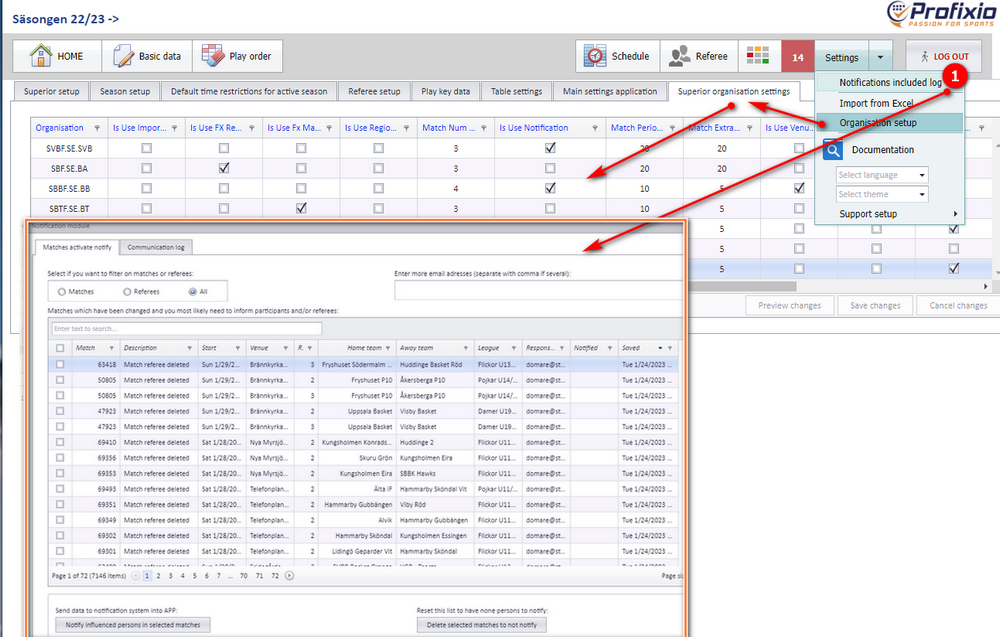
Most notifications are sent automatically. To notify the persons on a match yourself:
- Open the menu "Settings" and click "Notifications included log" (Swedish: "Inställningar" → "Logg inklusive notifikationer").
- Select all or some rows. Each row is one match.
- Click the left button at the bottom to notify all persons connected to the selected matches.
- A simple log of what was sent is shown in the tab "Communication log" (Swedish: "Kommunikationslogg").
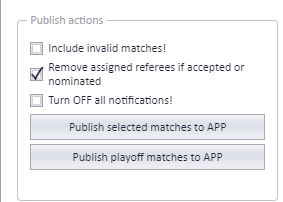
These options are available when you publish or notify:
| Option | What it does |
|---|---|
| Include invalid matches | Also includes matches that are invalid, such as matches with no end time, matches with an invalid venue and matches with a vacant team. |
| "Remove assigned referee if accepted or nominated" | The assigned referee is completely removed from the match, and a notification is sent (unless notifications are turned off). When this option is not checked, an accepted referee is set back to nominated instead. |
| Turn OFF all notification | No notifications are sent from PL. |
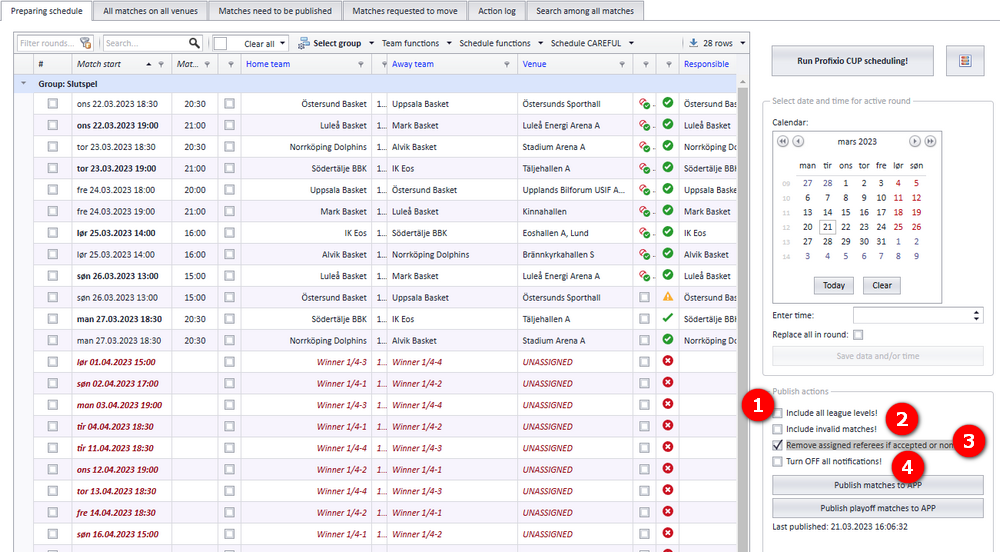
In the publish dialog the same choices appear as numbered check boxes:
- When the column "Referee .." is checked, referees get their acceptance or nomination deleted. When it is not checked, the referees only have their "Acceptance" changed to "Nominated".
- If you do not want notifications to be sent, turn off this check box.
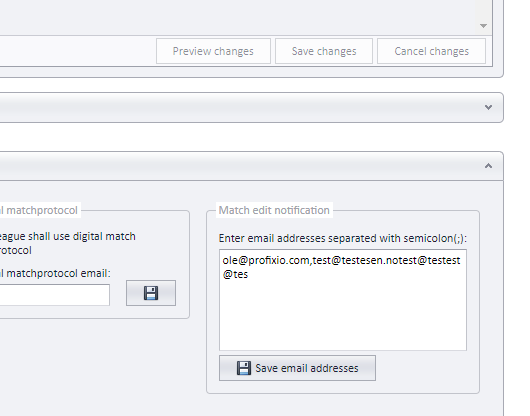
You can add extra email addresses for a competition that receive notifications, for example on match changes. Activate the competition, open the tab "Expandera för att ändra inställningar för högsta tävlingsnivån" (expand to change settings for the top competition level) and enter the addresses in the box "Notifiering vid matchändring" (notification on match change). Separate several addresses with semicolon (;).
Team leaders are notified automatically only when the change is made in the scheduling system TXO. For a change made in the window "App" – "Skjemalegging" (scheduling), tell the team leaders yourself.
When a match is changed in the period from four days before kick-off up to kick-off, an automatic notification is sent to the team leaders of the teams on the match.
- The match was published to the app on 01.10.2021. The match start time was changed on 15.10.21.
- A notification type was selected.
- The match was published again right after the change, which sent the notification.
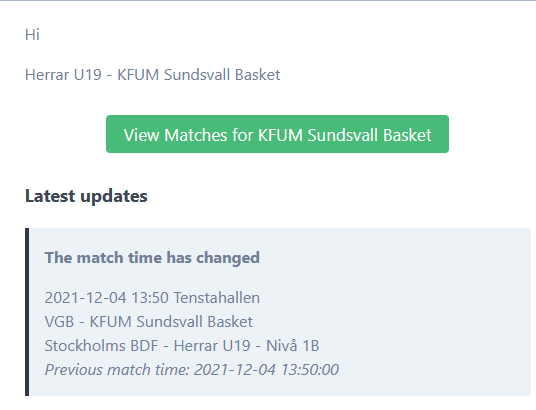
Below are examples of the notifications sent by email.
Match changed:
Referee nominated:
Referee accepted:
Referee deleted:
Each responsible team receives an email with the notification, as in this example:
- How to publish matches and what publishing means: see Publishing the schedule.
- How to change a match's date, time, venue or teams in PL: see Changing a match date, time, venue and teams.
- Deleting matches and the action log: see Deleting matches and the action log.
- Assigning, nominating and removing referees, which are the events behind the referee notifications: see Assigning and removing referees on matches and Nominating, accepting and buy and sell.
- Clubs requesting a match move from the app: see Match move requests.
See also
Was this page helpful?